
Cybersecurity for Absolute Beginners: Online Security
Learn Online Security Fundamentals, Web Privacy, Browser Security, Tor, Passwords, Email Protection & More
The average person spends over 7 hours a day online, yet most don't know how to protect themselves effectively. With tracking technologies, data breaches, and privacy invasions increasing every year, understanding how to protect yourself on the Internet is no longer optional—it's essential.
This course provides practical, actionable strategies you can implement immediately to protect your online privacy and security.

This course is Part 2 of a comprehensive cybersecurity series. While Part 1 focused on core IT security concepts, Part 2 teaches you how to protect yourself in your daily online activities.
"I highly recommend this course for everyone that is interested in internet privacy, security, and online self-protection. It provides high-value content and benefits everyone. The instructor does a fantastic job covering a board range of topics using visuals and real-time materials. I implemented some changes right away after taking the course. Another amazing course from this instructor!!"
— NF ⭐⭐⭐⭐⭐
"Although stated as an absolute beginner course, there was still a great amount of content covered in a very understandable way. Alton is a great instructor and I highly recommend this course for really getting a head start for online security. I learned a ton and did my own deeper dive research on topics that sparked my interest."
— Dave G ⭐⭐⭐⭐⭐
"The instructor is not only knowledgeable but breaks it down into simple terms. The true teacher understands their topic and can explain it to anyone. Not just use big terms to hide behind gaps in their understanding. Alton is a great teacher that has a wealth of knowledge to share, and to be honest has become one of my favorites to check my knowledge base and to push me to expand what I know."
— Wayne Seavolt ⭐⭐⭐⭐⭐
How Web Requests Work (Simplified)
FREE PREVIEWHTTP vs HTTPS
Section Introduction
Who Tracks Us Online
HTTP Referers
Cookies & Super Cookies
3rd Party Connections
Browser Fingerprinting & Volunteered Information
Search Engine Tracking
Section Introduction
Online Privacy, Anonymity and Pseudonymity
Privacy-Focused Search Engines
Tips for Private and Anonymous Searching
Section Introduction
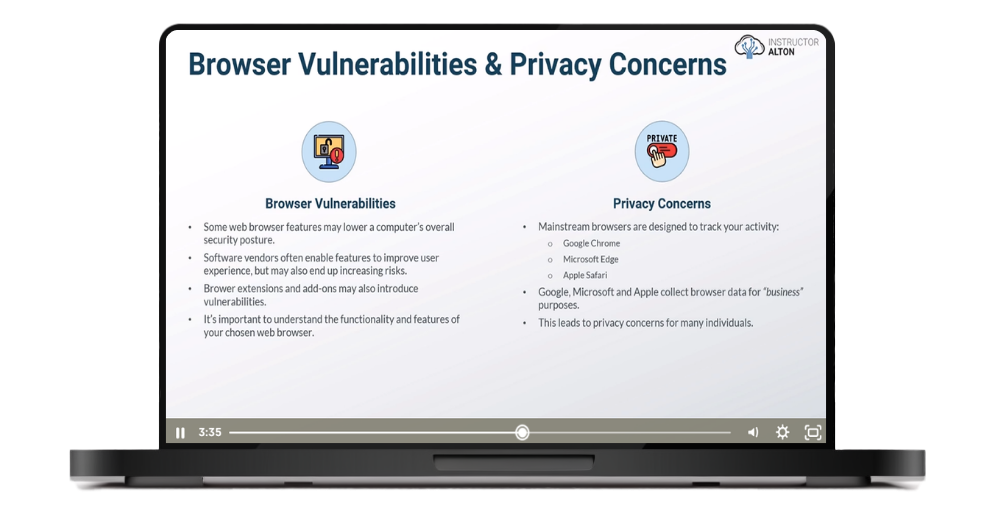
Browser Vulnerabilities & Privacy Concerns
A Quick Note on Endpoint Protection & Anti-Virus Software
Understanding Browser Private Mode
Browser Choices
Brave Browser
Mozilla FireFox Browser
Recommended FireFox Privacy Extensions
Microsoft Edge Browser
Apple Safari Browser
CCleaner

Alton is the founder of Alton Teaches LLC and a former college professor. He spent 12 years as a cybersecurity specialist at the U.S. Department of the Treasury, working in governance, risk, and compliance. He holds an MBA in Information Assurance and Security Management and multiple certifications, including CISSP, Security+, and Network+.
250,000+ students taught across cybersecurity and IT courses. 90,000+ copies sold of his bestselling books.
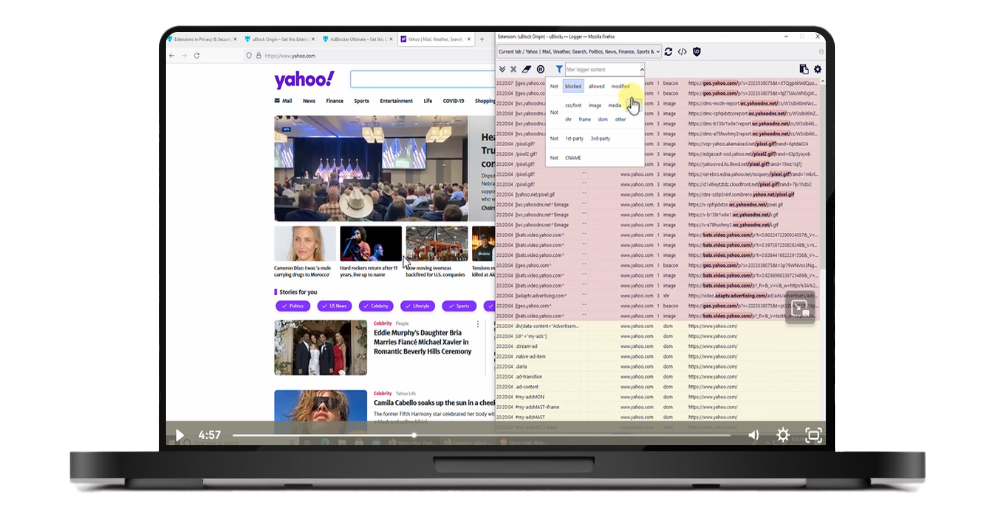
This isn't just theory—you'll see these security measures in action through live demonstrations. The course shows you:
Join 250,000+ students learning practical security skills. Lifetime access, 14-day money-back guarantee.
Part 1 is recommended but not required. This course focuses specifically on online privacy and security in your daily internet activities. While I occasionally reference concepts from Part 1 (Essential Concepts), you can look up any unfamiliar terms on your own if needed.
Yes, this is technical content—we cover VPNs, Tor, encryption, and browser security in depth. However, it's designed for absolute beginners with no IT experience required. Everything is explained in plain language with live demonstrations showing you exactly what to do. If you can browse the web, you can learn this material.
The course contains 5 hours of video content. Most students complete it within one to two weeks, but you have lifetime access so you can learn at your own pace.
You get 5 hours of video lectures with live demonstrations, practical tool recommendations, and lifetime access to all materials.
Part 1 covers essential cybersecurity concepts and workplace security. Part 2 (this course) focuses on personal online security—protecting yourself on social media, shopping safely online, securing your browser, managing passwords, and email protection. Part 3 covers operating system security for Windows, Linux, and Mac. Each course stands alone.
We offer a 100% satisfaction guarantee. If you are unsatisfied with your purchase, you may request a refund within 14 days of the original purchase date.